If you are planning to walk the Camino de Santiago, you should know that the pilgrim’s credential remains an essential element. This is the “passport” that pilgrims carry to collect stamps at each stage, thereby proving their journey once they arrive in Santiago.
Traditionally, it is a small paper booklet that is stamped at hostels, churches, bars or other places along the Camino. However, for a few years now there has also been the digital pilgrim’s credential, a modern alternative launched in 2021 by the Cathedral of Santiago and the Xunta de Galicia.
It does not replace the traditional paper credential, but rather complements it, offering a more technological way of keeping a record of stamps. Below, we explain in detail what it consists of, its advantages and disadvantages, and how to use it correctly during your pilgrimage.
Índice de contenidos
What is the digital pilgrim’s credential?
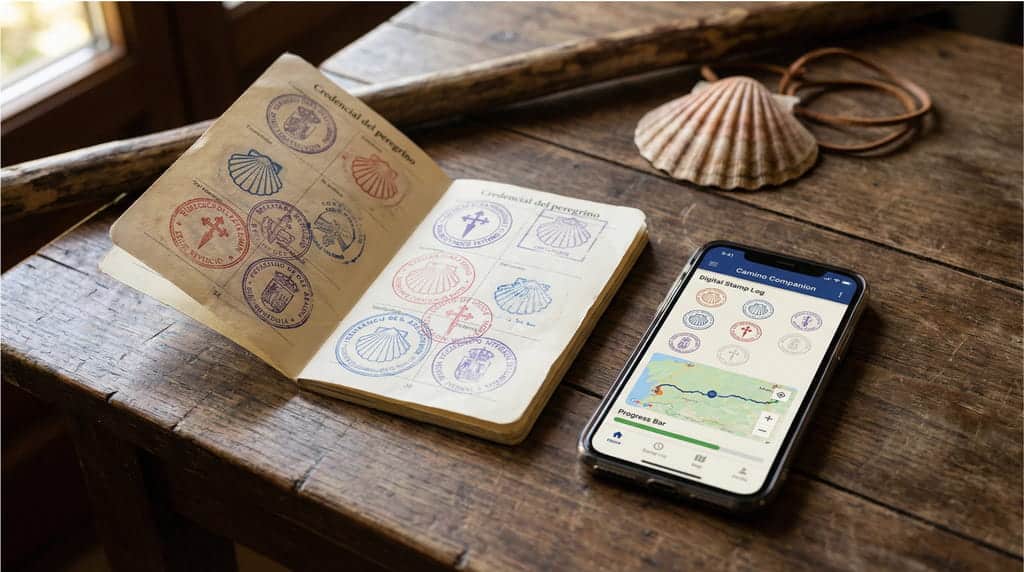
The digital pilgrim’s credential is the official electronic version of the paper one (the pilgrim’s passport). It was designed during the Holy Year 2021 as part of the digital transformation of pilgrim services.
It consists of an official mobile application (developed by the Pilgrim Reception Office of the Cathedral of Santiago) that pilgrims install on their smartphone.
Through this app, available for Android and iOS devices in several languages (Spanish, English, Galician, among others), walkers can obtain their stamps digitally during each stage. Instead of having your paper stamped with ink, here you will scan QR codes that you will find at official stamping points along the Camino.
Each QR code corresponds to the stamp of a hostel, tourist office, parish or other establishment; when you scan it with your phone’s camera, the image of the stamp is added to your digital credential, in much the same way as if it had been stamped on paper.
This innovation emerged to improve the experience and health safety during the pandemic, avoiding interpersonal contact and speeding up the process. But beyond the COVID-19 context, it adds convenience for the modern pilgrim.
It is important to highlight that it has the same validity as the traditional paper credential. In other words, with either one you can obtain the Compostela (the official pilgrim’s certificate) upon arriving in Santiago, provided you have met the distance and minimum stamp requirements.
In short, it is an optional and official tool for recording your pilgrimage electronically. It is not mandatory; if you prefer, you can continue using the traditional one. In fact, many pilgrims carry both at the same time without any problem (for example, using the digital one for convenience while also stamping the paper one as a keepsake).
Next, we will look at the advantages and disadvantages of this digital option.
Advantages of the digital credential
- Avoids physical contact and is more hygienic: by using QR codes instead of having hospitaleros handle it to stamp it, direct contact is minimised.
This was introduced as a health measure during the pandemic, but it remains an advantage in general (think of rainy days with soaked credentials, or handling by hundreds of people). In this case, it lives on your phone, which is something personal; you simply scan the code yourself and that’s it.
- It cannot be lost or damaged: many pilgrims have lost their paper credential or seen it deteriorate due to water or wear and tear. By contrast, with the digital format “you carry it somewhere it certainly won’t get wet or lost”. You will always have it to hand as long as you have your phone with you.
In addition, as it is linked to an account, even if you were to lose your device you could reinstall the app and recover it by entering your user details.
- Unlimited stamp capacity: the digital version does not have a limited number of boxes like the physical booklet. You can add unlimited stamps along your route. This is useful if you are one of those who love collecting lots of stamps (for example, some pilgrims stamp at every bar or church they come across).
- Convenience and speed in the final procedure: the digital app is integrated with the pilgrim registration system of the Pilgrim Office. When you create your profile in the app, you provide in advance the personal details that would normally be requested in Santiago to issue your Compostela (name, country, age, reason for doing the Camino, etc.).
This means that, upon arrival, the process of obtaining your Compostela will be faster, as your details will already be linked to your digital credential. The app even allows you to receive the “final stamp” upon arrival in Santiago digitally, streamlining the final verification.
- Additional and multilingual information: The official app includes useful information about the Camino routes and is available in multiple languages. Its interface is intuitive and provides guidance on how to stamp, how many stamps you have, etc. This adds an extra layer of support during the Camino.
Of course, the app works on any of the official routes you choose to walk. Whether you travel the Camino del Norte from Gijón along the Cantabrian coast, or decide on a section of the Camino Francés (Camino Francés from Logroño or Camino Francés from Burgos), the digital credential will allow you to stamp your progress regardless of the chosen route.
- Improved planning and safety: As a connected digital tool, it offers benefits both to pilgrims and to the organisation of the Camino.
- On the one hand, the app can send useful notifications (for example, a welcome message as you approach Santiago, with instructions on how to collect your Compostela).
- On the other hand, the authorities can know in advance the flow of pilgrims who will arrive at the Pilgrim Office. In this way, they can adapt resources and avoid overcrowding.
- It works even without a connection at the time: the app requires an Internet connection to synchronise data, but if at the moment of stamping you have no coverage, that’s not a problem. You can scan the QR code anyway; the stamp will be stored and as soon as your device regains connectivity, it will appear registered in your digital credential.
- Low cost and easy availability: obtaining it is very straightforward compared to finding a physical one. In the app, after registering, the “purchase” is made with a symbolic donation of around €1.50 (similar to the cost of a paper one) by card.
Disadvantages of the digital credential
- Incomplete adoption at all points along the Camino: although the digital initiative has official backing, not all establishments along the Camino have joined in. In fact, many of the typical stamping locations (small churches, rural bars, traditional hostels, etc.) still do not have a QR code for digital stamping.
The implementation has been gradual: in 2022 there were just over 400 digital stamps available (including those from Correos, associations, large hostels, etc.), a figure that has been increasing, but which is still far from covering all places that offer physical stamps.
- You depend on technology (battery, device, connectivity): using it means carrying a smartphone no matter what. If your battery runs out one day in the middle of a stage just when you were about to stamp, you could run into a problem until you recharge your phone.
Likewise, the app’s functionality depends on the phone working properly. In the event of a device failure, loss or theft of the mobile phone, you would need to get another device and reinstall the app to continue (remembering your username and password).
- Less sentimental value for some pilgrims: many walkers consider paper stamps to be one of the great keepsakes of the Camino. Each physical stamp, with its colours and shapes, evokes a place and a lived moment.
The digital credential lacks the tangible element: you cannot leaf through it physically or show it as a souvenir to your family, beyond showing the screen or eventually printing a report. Although you still obtain the paper Compostela at the end, the collector’s experience may feel diluted in the digital format.
- It does not completely eliminate the need to stamp in person: it should be clarified that digital does not mean that stamps are obtained automatically or from home. You will still have to go to the stamping points and now, instead of having a stamp applied, you will need to find the QR code and scan it. In practice, this means spending the same amount of time stamping at each place (just using your phone).
If a hospitalero is not familiar with the app, they may not know how to guide you; sometimes you may have to ask “Where is the QR code for the digital credential?” and it is possible that in certain places they may not even know what you are talking about if they have not received information.
- It requires some prior preparation: using it involves installing the app and setting everything up before or at the start of your Camino. This means having a compatible phone, enough storage space, knowing how to find the correct official app (there are other apps that could cause confusion—make sure it is the one from the Pilgrim Office), registering with your details, etc.
How to use the digital credential correctly
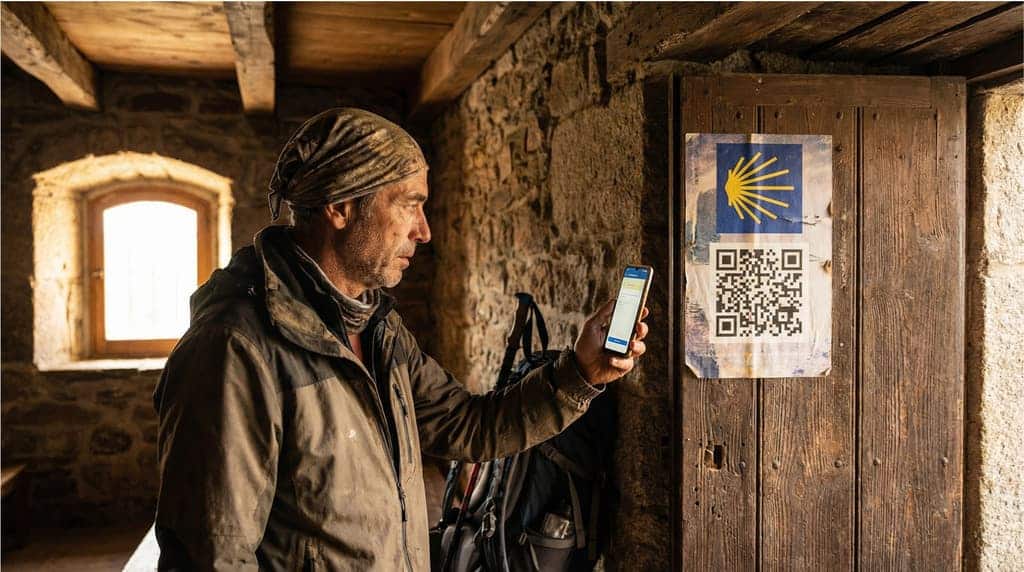
If you decide to try out the advantages of the digital credential on your organised Camino de Santiago, it is important to know how to use it step by step. Below we offer a practical guide to using it correctly:
- Download the official app: on your mobile phone, go to the app store and search for “Credencial del Peregrino”. Make sure the developer is the Pilgrim Office of the Cathedral of Santiago (so as not to confuse it with other unofficial apps). The app is published in Spanish, English and other languages, and it is the only official app valid for obtaining the Compostela.
- User registration and credential creation: when you open the application for the first time, you will need to register as a user. You will usually be asked for an email address and to create a password, after which you must complete your personal details (first name, surname, country, date of birth, gender, etc.), just as you would on the Pilgrim Office form.
- You will also be asked about the reason for your Camino (religious, spiritual, sporting, cultural, etc.) and other details that are usually collected for statistical purposes.
- After entering everything, proceed to “acquire” your digital credential, which involves making the donation of approximately €1.50 by credit/debit card within the app itself.
- Set up your route in the app: the application will allow you to select or indicate which Camino de Santiago route you are going to walk. Choose the Camino, the starting point and the planned itinerary. You must also indicate the mode in which you are travelling: on foot, by bicycle, on horseback or even in a wheelchair (all are accepted).
- Start your Camino and locate the QR codes for stamping: once on the route, you must obtain your stamps each day just as you would with the traditional credential. The difference is that, instead of having a physical stamp applied, you will need to scan the QR code corresponding to the place where you are. Many Camino facilities already have their QR codes printed and visible: for example, tourist offices, some hotels and guesthouses, parish churches, museums, and even Correos offices along the Camino have QR codes for digital stamping.
- Look carefully at the reception area or entrance of these places; there is usually a small sign with the QR code symbol and perhaps the Cathedral logo indicating that you can “stamp digitally” there. If you do not see it, ask the person in charge whether they have a QR code for the digital credential.
- Scan the QR with the application: to stamp, open the app and select your active credential. Look for the “Stamp” option or the scan icon (usually a “+” symbol or a dedicated button) and start scanning. The camera will activate within the app; point it at the QR code until it recognises it. Instantly or within a few seconds, the application will show on screen that the stamp has been added along with the date and location.
As you can see, each digital stamp includes the same information as a physical one (name of the establishment or church, town and date). You can review all your stamps in the app at any time, ordered by date or stage.
Important: if at the moment of scanning you do not have a data connection, the app will save the attempt and the stamp will be added when you have Internet access again.
- Stamping frequency and requirements: try to stamp with the same frequency as you would with the traditional credential. This generally means at least one stamp per day, and in the final 100 km before Santiago a minimum of two stamps per day.
You can stamp more often if you wish (there is no limit), but the minimum is important to avoid surprises. The app itself will show you all the stamps you have; you can keep track and make sure you meet the requirement.
- Arrival in Santiago – final stamp and verification: as you approach Santiago de Compostela, the application may send you a welcome message and give you the option to request the distance certificate (an optional document indicating the kilometres walked, different from the Compostela).
Once in the city, when you go to the Pilgrim Reception Office (Rúa Carretas, 33), you will be able to complete the final procedure with your digital credential. Traditionally, the final Cathedral stamp is applied here on the paper format; in the digital case, the app also allows you to obtain this final arrival stamp electronically.
Sometimes this final digital stamp is added automatically by scanning a code in the office or by completing your registration in the digital queue. Follow the instructions of the Office staff: they are familiar with digital credentials.
You will need to show on your mobile phone the digital stamps you have collected. Most likely, you will be asked to generate a verification QR code or simply show the screen where all your stamps and details appear (the app has a specific section for displaying this to officials).
Thanks to the fact that you have already completed your details when registering in the app, the staff will be able to quickly confirm your information and validate that you meet the requirements. In this way, they will print your Compostela just like for any other pilgrim. Congratulations—mission accomplished!
- Keep your digital (and/or physical) credential as a souvenir: after obtaining the Compostela, the document will remain accessible in the app. You can consult it after the Camino to relive stages and stamps, and you could even take screenshots or print it if you would like to have a physical keepsake of the digital stamps.
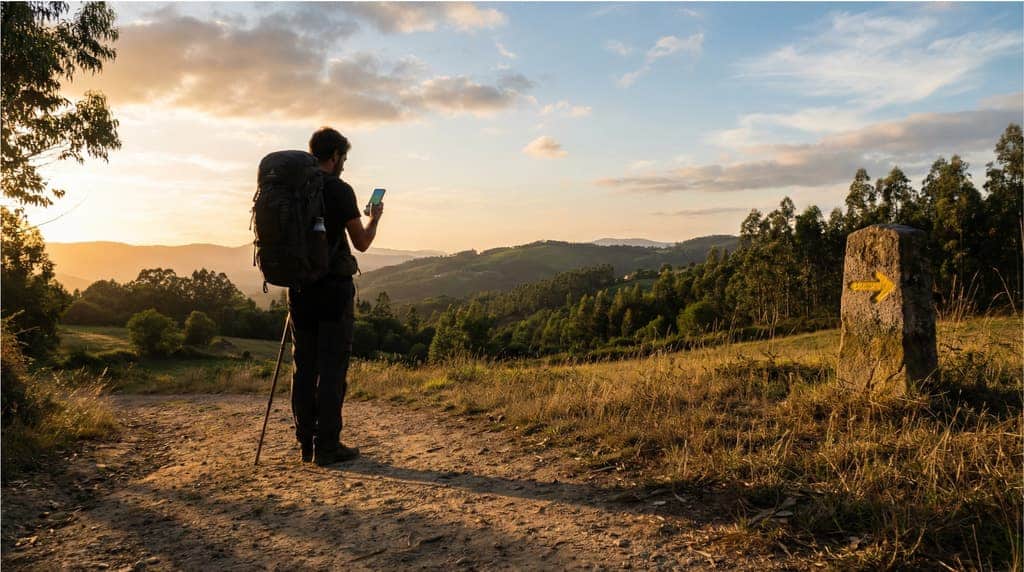
The digital pilgrim’s credential is undoubtedly a useful innovation that brings convenience and modernity. Its advantages make it attractive for pilgrims who walk the Camino on an organised trip and want to minimise logistical concerns. If you book an organised journey with hotels and luggage transport, the digital credential fits well with that more planned experience.
In 2026, the digital credential has already established itself as a valid and recognised alternative, although perhaps still in the process of widespread adoption. If you are interested in trying it, we encourage you to do so by following the steps outlined above, but always have a plan B (for example, carrying a spare physical credential, or at least noting stamps in a notebook if the technology fails).
Buen Camino and enjoy this unique experience. And if you need more advice to prepare your route, do not hesitate to consult our Camino de Santiago Guide where you will find additional information, or learn about the different organised routes we offer.